
How to Do Search Engine Submission the Right Way
You've shipped the product, posted the launch announcement, and watched the initial traffic fade. Search still hasn't started sending visitors, and it's unclear whether Google has even found the important pages. That's when search engine submission becomes useful, not as a switch that guarantees rankings, but as a way to make your pages discoverable and diagnose what's getting in the way.
For a SaaS or AI startup, the work spans more than Google: Search Console and Bing Webmaster Tools help you inspect crawling and indexing, a sitemap gives search engines a clean URL inventory, directory profiles build external discovery paths, and robots.txt affects access for AI search crawlers. The practical aim is to give each system accurate, accessible information, then check what it processed. If you're also weighing a managed SaaS directory submission service, treat it as one part of that wider discovery effort, not a replacement for technical SEO.
Why Search Engine Submission Still Matters for New SaaS Sites
A founder opens analytics after launch and sees the familiar pattern: visitors arrived from the launch platform, then the chart flattened. The product is live, but searches for the company's name return little, and the new feature pages don't appear at all. It's tempting to assume that Google needs a paid submission service or that rankings will follow as soon as someone clicks a button.
Neither assumption holds up. Search-engine submission is a URL-discovery and diagnostic process, not a guarantee of indexing or rankings. Google describes a sitemap submission as a hint. It may not download the sitemap, crawl every URL listed, or index every page. A request to recrawl an individual page can take anywhere from a few days to a few weeks, so submission doesn't provide a reliable launch-day ranking fix. Google's sitemap guidance sets those expectations clearly.

Treat discovery as a system, not a button
The useful outcome of submission is visibility into whether search engines can find and process your pages. Search Console reports sitemap processing errors and parsed URLs, while its indexing information helps you compare what you submitted with what Google indexed. If a page is blocked, redirects unexpectedly, or duplicates another URL, the submission process can help reveal the problem. It won't fix that problem for you.
The foundation is straightforward: verify site ownership, publish a clean sitemap, make sure key pages return successful responses and aren't blocked, and then monitor crawl and indexing reports. From there, internal links help crawlers reach pages, useful original content gives those pages a reason to appear, and canonical consistency helps clarify which version you want considered. A submitted URL is a discovery signal, not a search result.
Bing Webmaster Tools adds another place to submit and monitor your site. Directory profiles can create legitimate referral paths and public references to your brand. For AI search, crawler access and clear, consistent information also matter. Each channel has a different job, so a spike in submission attempts isn't a useful measure of progress.
Practical rule: First check whether search engines can access and understand a page. Only then worry about whether they've chosen to index it.
Verifying Your Site and Setting Up Webmaster Tools
Before relying on submission reports, verify ownership and confirm that the production site is reachable. Search Console supports ownership checks through a DNS TXT record or an HTML file. Pages need to return successful responses and remain accessible to crawlers, rather than blocked by robots.txt. Google's Search Console verification guide covers both DNS TXT and HTML file methods.
Add the Google property your team will monitor
In Google Search Console, choose a Domain property or a URL-prefix property. A Domain property covers the domain's protocols and subdomains, but requires DNS verification. A URL-prefix property tracks only the exact prefix entered, such as the HTTPS version of one hostname, and can be verified with methods such as an HTML file. For a startup with several hostnames or protocol variants, a Domain property gives a wider view. A URL-prefix property can be a better fit when the team needs to monitor one specific address.
Follow Search Console's verification steps, then check the intended HTTPS address in a browser. Confirm that the homepage loads and that the production site does not carry a staging noindex directive. Verification confirms ownership, not crawlability. A page can remain inaccessible even when the property is verified.
Repeat the ownership check in Bing
Add the site in Bing Webmaster Tools and complete its verification flow. If Google Search Console is already verified, Bing may offer an import option. Otherwise, follow Bing's ownership instructions. Once the property is verified, submit the prepared sitemap and check Bing's reports for processing issues.
Set a few operating rules before the team relies on these tools:
- Preferred version: Choose the canonical HTTPS hostname and keep links consistent.
- Property ownership: Give access to the company account that will monitor the site, not just a founder's personal login.
- Targeting settings: Review available country or audience settings, and apply them only when they match the product's market.
Bing deserves its own monitoring check. Google's reports do not show what Bing has received or whether Bing found sitemap processing errors. Keeping both properties accessible to the team makes those differences easier to catch.
Building a Sitemap That Survives Google's Limits
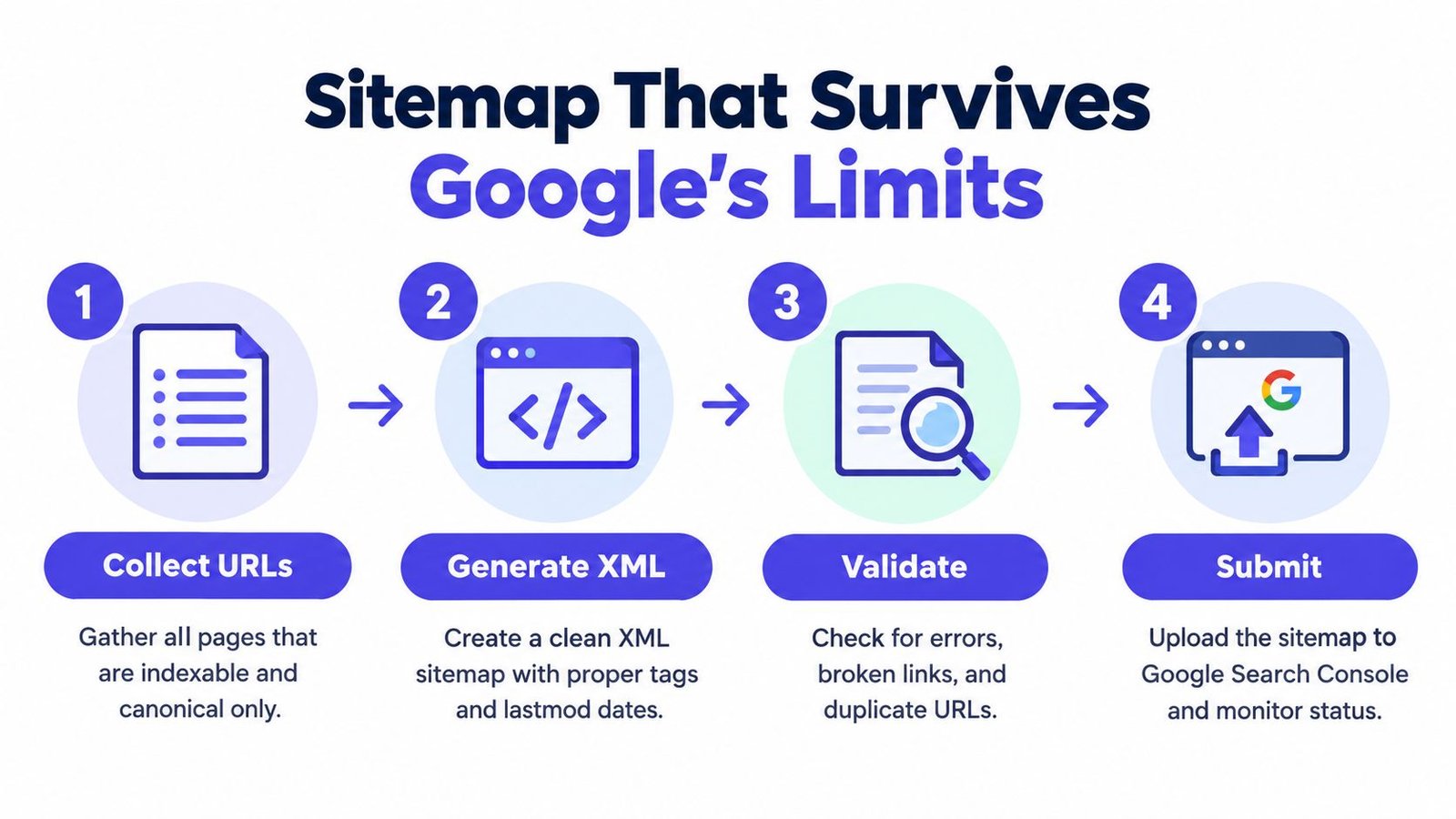
A sitemap is a machine-readable list of URLs you want search engines to consider. For a SaaS site, that might include the homepage, product pages, public documentation, and useful articles. It shouldn't be a dump of every route your app can generate. Start with canonical pages that are intended to be indexed, then exclude redirects, duplicate variants, filtered views, and pages carrying noindex.
Keep the URL inventory clean and within capacity
Google allows a sitemap to contain no more than 50,000 URLs and limits an individual file to 50 MB uncompressed. If your inventory exceeds either limit, split it across multiple sitemap files and use a sitemap index to organize them. Google parses duplicate URLs only once, so listing several variants of the same page adds clutter rather than useful coverage. These technical limits and sitemap handling details are in Google's sitemap documentation.
Choose one preferred URL for each page. If your app produces parameter versions, alternate protocols, or trailing-slash variants, keep those out of the sitemap when they're duplicates of the canonical page. Include lastmod only when the page has changed meaningfully. Updating it automatically on every deployment can make the field less useful as a signal of substantive content updates.
Publish it and check the processing report
Once the XML file is generated, validate its contents and confirm that the listed pages are reachable and canonical. You can expose the sitemap path in robots.txt with a Sitemap directive, submit it directly in Search Console, or do both. After submission, check the Sitemaps report for processing errors and the number of URLs parsed. Submission alone doesn't prove that every listed page was crawled or indexed.
If a page isn't being discovered as expected, investigate its robots rules, sitemap inclusion, and canonical signals together. This guide to troubleshooting robots, sitemaps, and canonicals provides a practical way to check those issues as a group instead of treating each report in isolation.
Choosing Between Sitemaps, URL Inspection, and the Indexing API
The Indexing API is the tool that startup guides often overgeneralize. Google limits it to pages containing JobPosting or livestreaming-video structured data. A standard SaaS homepage, pricing page, documentation page, or blog post doesn't qualify just because it's new or important. Google's Indexing API documentation spells out the eligible content types.
For ordinary sites, use a sitemap to communicate a larger, maintained set of URLs. Use URL Inspection when a specific high-priority page needs a diagnostic check or a recrawl request. Reserve the specialized API for the page types it supports. Repeatedly trying an ineligible API won't make normal product pages index faster.
Match the tool to the page
| Submission tool | Best for | Daily limit | Common mistake |
|---|---|---|---|
| Sitemap in Search Console | A maintained inventory of canonical, indexable site URLs | Not specified here | Listing every route or duplicate URL |
| URL Inspection tool | Checking an individual priority URL and requesting recrawling | Manual use; API quota applies to programmatic checks | Inspecting low-priority pages instead of diagnosing representative ones |
| Indexing API | Eligible pages with JobPosting or livestreaming-video structured data |
Not specified here | Sending ordinary SaaS pages through an API they aren't eligible for |
For programmatic checks, Google's URL Inspection API has a documented quota of 2,000 inspection queries per property per day and 600 per minute. The limits are listed in Google's Search Console API documentation. Plan queries around pages that matter, rather than using the quota to repeatedly check the entire site.
A practical decision rule is simple: maintain the sitemap for evergreen pages, inspect only important individual URLs, and use an API only when the content type qualifies. Startup teams building a broader off-site discovery plan can also review relevant startup directory options, but directory listings don't change which Google submission tool fits a page.
Using Directory Submission Without Triggering Link Spam
A directory listing can be useful even when it doesn't pass ranking credit. A well-maintained profile on a relevant platform can send referrals, provide a public reference for the company, and help users verify what the product does. That's different from treating a directory as a shortcut for accumulating links.
Google's link-spam policy identifies buying or selling links for ranking purposes, excessive reciprocal linking, and automated programs or services used to create links as risky tactics. Paid or sponsored links can comply when they're qualified with rel="nofollow" or rel="sponsored". The practical distinction is whether a listing represents a legitimate company presence or exists mainly to manipulate ranking signals.
Compare a defensible listing with a risky shortcut
A defensible profile has an accurate company description, a relevant category, a working product link, and information that matches the company's public materials. Someone reviews where it appears and records whether the listing was accepted. By contrast, near-identical profiles generated in bulk, irrelevant categories, and reciprocal-link arrangements aimed at passing ranking credit make the campaign harder to justify.
A directory link isn't the asset by itself. The useful asset is a trustworthy public profile that helps a person discover and understand the product.
The same standard applies whether a founder submits listings individually or delegates the work. A service should be judged on its process: does it select relevant directories, check for duplicates, adapt descriptions accurately, and provide a record of placements? Manual review and transparent reporting are more defensible than automation that leaves no clear account of where a company was listed.
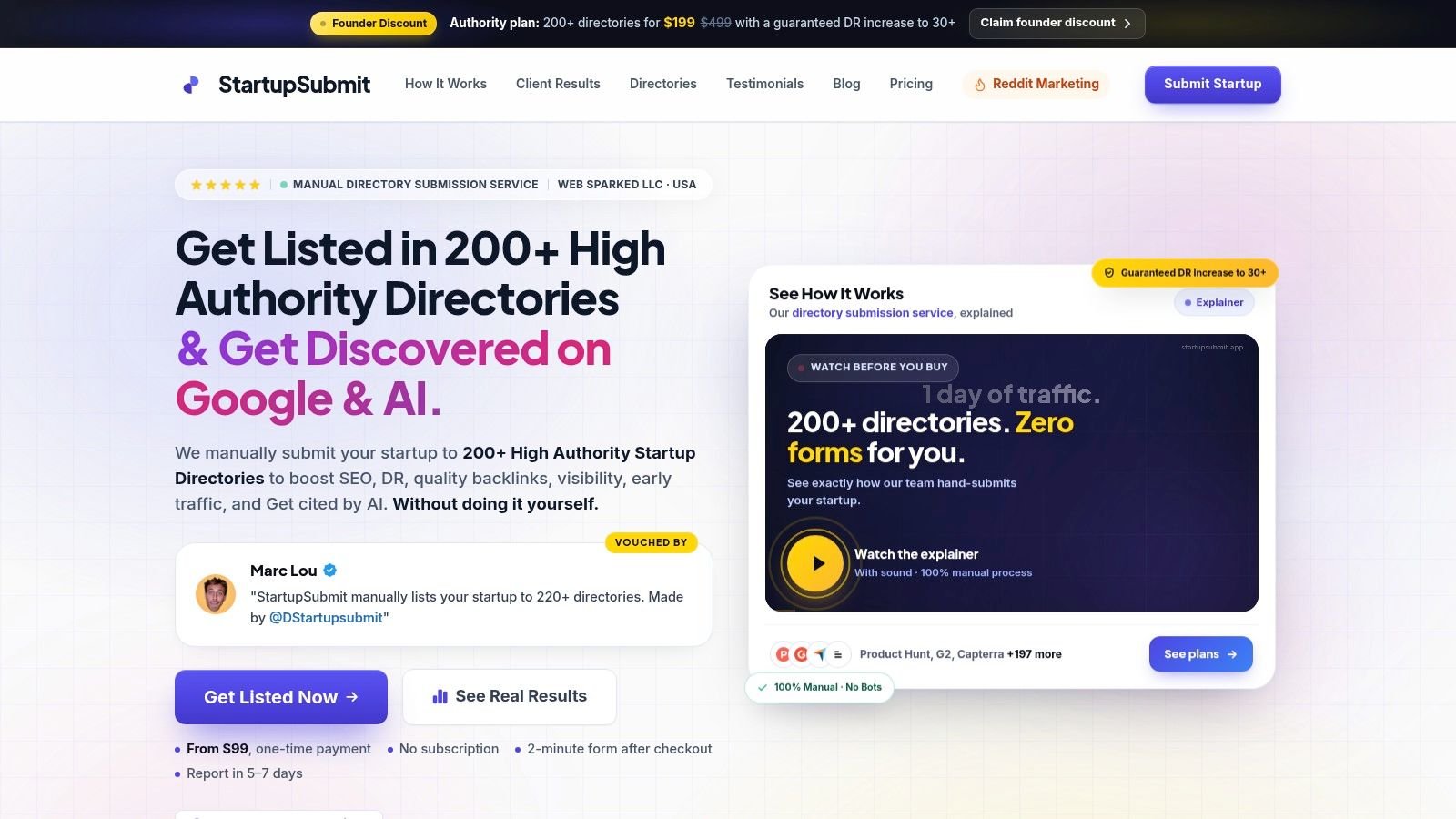
For founders who want to offload repetitive profile work, StartupSubmit's directory submission service describes a manual workflow across startup and software directories, with duplicate checking and placement reporting. Treat that as an operational option, not a promise of rankings: directory policies and link attributes vary, and a listing can be changed or removed by its publisher.
Making Your Site Discoverable Inside ChatGPT and Google AI Overviews
Search submission now includes a crawler-access decision for AI search surfaces. OpenAI distinguishes OAI-SearchBot, used to surface websites in ChatGPT search features, from GPTBot, which is controlled separately for training-related access. If a site opts out of OAI-SearchBot, OpenAI says the site won't be shown in ChatGPT search answers, though it may still appear as a navigational link. Allowing access preserves eligibility; it doesn't guarantee a mention or ranking. The details are in OpenAI's crawler documentation.
Make the robots.txt decision deliberately
Review robots.txt and decide whether OAI-SearchBot should be allowed to access public product pages and documentation. Set the separate GPTBot policy according to your company's content and licensing preferences. These are distinct choices, so don't assume one setting automatically controls both kinds of access.
Access is only a starting point. A stable public site, clear product descriptions, indexable documentation, consistent brand naming, and credible third-party profiles give answer systems more coherent material to interpret. Directory profiles and comparison pages help most when their claims match the facts on your own site.
The click patterns around AI summaries also change what a growth team should measure. In an analysis of Google searches conducted in March 2025, Pew Research Center found that 58% of respondents encountered at least one search with an AI-generated summary. Users clicked a traditional result in 8% of visits with a summary, compared with 15% without one; a link inside the summary received a click in 1% of visits. Pew Research Center's analysis supports a broader measurement view: track branded searches, citations, direct visits, and sign-ups where discovery may have happened before a click.
For teams working on answer visibility, this guide to appearing in Google AI Overviews offers further context. AI search optimization isn't a replacement for sound technical SEO. It's another reason to make your company's public information accessible and consistent. Founders exploring that wider discovery layer can also review an AI directory submission service as one way to manage external profiles.
Building a Validation Loop That Proves Submission Worked
A sitemap submission confirms that a search engine received your file. It does not confirm that every listed page was indexed, or that indexed pages are earning search visibility. A useful validation loop compares your canonical URL inventory with the status of representative pages, then traces exclusions to their cause. Repeatedly requesting indexing without fixing the underlying issue wastes time.
Sample page types, not just URLs
Export the canonical URLs listed in your sitemap and select a sample that reflects how the site is built: the homepage, product pages, blog posts, public documentation, localized pages if available, and recently updated content. Checking across templates helps reveal a routing or page-generation issue that affects many URLs, rather than just one.
Use Search Console's URL Inspection tool to review status and request recrawling for priority pages when appropriate. For programmatic inspection, the quota described earlier applies. Spend the available checks on pages that are both important and representative, not on repeated checks of low-value URLs.
Classify the results before taking action:
- Indexed: The page is in Google's index. If it is not gaining visibility, review its content, internal links, and relevance instead of submitting it again.
- Excluded: Google chose not to index the page. Check whether it is thin, duplicative, or lacks a distinct purpose.
- Duplicate or canonicalized: Google selected another version as the preferred page. Confirm that its choice matches your intended URL, and keep the preferred version in the sitemap.
- Blocked: Review robots.txt and page-level directives. A submission cannot make a blocked page accessible.
- Submitted but not indexed: Confirm that the page loads successfully, has a clear canonical, and is linked from relevant parts of the site. Then check whether its content gives searchers a distinct reason to find it.
The pattern matters as much as any one status. If several pages from the same template are excluded, inspect the template and its canonical or indexing rules before checking every URL individually.
Recheck on a schedule and report the outcome
Google says crawling and indexing can take up to one or two weeks. Recheck priority pages at day 7 and day 14, then compare each result with its initial inspection. Those are practical checkpoints, not deadlines or guarantees of indexing.
Report progress using indexed canonical URLs and resolved exclusion causes. Submission attempts do not show whether discovery improved, and a single indexing percentage can hide problems concentrated in one page type. If the same template repeatedly produces blocked or duplicate URLs, fix the template or canonical logic before requesting more recrawls. That is usually a better use of a new SaaS team's time than treating each affected page as a separate case.
Put this week's work in order
- Verify access: Confirm ownership in Search Console and Bing Webmaster Tools. Test that important pages load and are not blocked.
- Clean the inventory: Keep canonical, indexable URLs in the sitemap. Check how redirects and parameter variants are handled.
- Submit and inspect: Submit the sitemap, review processing reports, and inspect a representative sample of priority page types.
- Build discovery paths: Link new pages from relevant internal pages and create accurate profiles on directories suited to your product.
- Record changes: Keep the initial URL sample, status classifications, and follow-up notes together. That record lets the team see which fixes changed the result.
Founders researching relevant listings can use free startup directories as a starting point. Check each option for product fit and listing accuracy rather than selecting directories by list size.
Search engine submission FAQs
How long does indexing take?
There is no guaranteed schedule. Google says recrawling can take from a few days to a few weeks, and its guidance notes indexing can take up to one or two weeks. Submit the sitemap, keep the page accessible, and monitor its status. A request is not confirmation that the page entered the index.
Do paid directory services move the needle?
They can reduce repetitive profile work and help maintain accurate public listings. They cannot guarantee that a directory will accept a profile, pass ranking credit, or improve rankings. Check relevance, manual review, duplicate handling, and reporting. Treat referral discovery and a verifiable company presence as separate from any promise of SEO results.
How do I recover from a manual action?
Check the Manual Actions report in Search Console and read the stated issue before making changes. Correct the behavior that caused the action, then follow Google's reconsideration process where available. Buying more links or resubmitting the same pages does not address a policy violation. The remedy needs to match the issue named in the report.
How do robots.txt rules affect ChatGPT visibility?
OpenAI says sites that block OAI-SearchBot will not be shown in ChatGPT search answers, though they may still appear as navigational links. Review OAI-SearchBot access separately from your GPTBot policy. OpenAI documents those crawlers for different purposes. Allowing OAI-SearchBot makes a site eligible for discovery, but does not guarantee visibility.
Submission establishes a path to discovery; it is not a growth strategy by itself. Long-term search performance still depends on useful content, credible links, and a product people want.
StartupSubmit handles manual submissions to startup and software directories, with duplicate checks, category matching, and a report of submitted placements. For teams that would rather spend time improving the product and its search pages than filling out directory forms, StartupSubmit provides details about its service.