
What Is Citation Building & Why Startups Need It Today
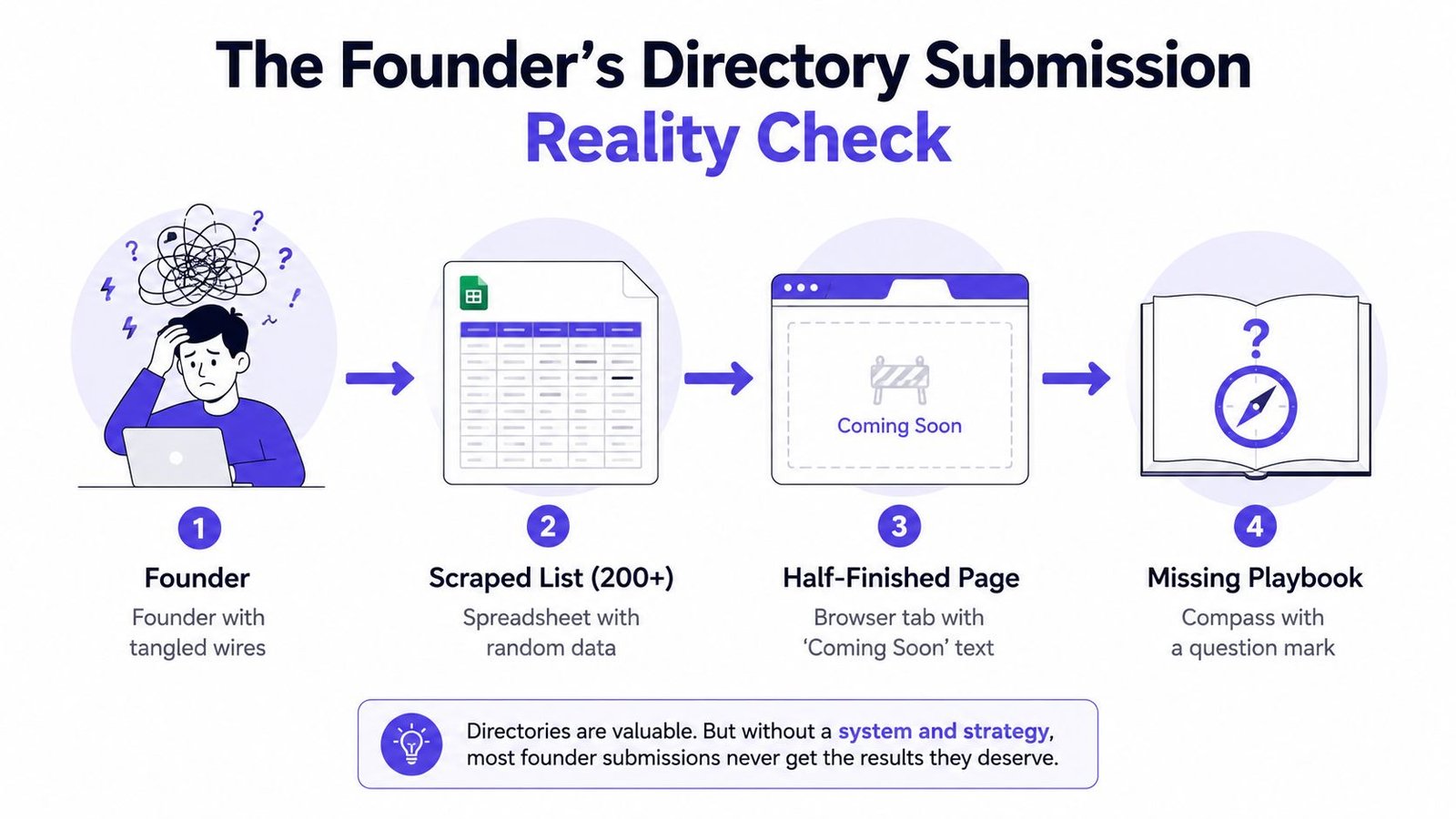
You've got a spreadsheet with 200 directories, a product page that still needs work, and no reliable record of what anyone has submitted. The list came from a scraped blog post. Descriptions don't match from one site to the next, the logo file is wrong for half the forms, and nobody knows whether the first batch was approved, rejected, or just ignored.
That's the starting point for most founders learning how to do directory submission. The difficult part isn't finding another list of directories. It's controlling the operational details that determine acceptance, indexation, referral traffic, and long-term brand consistency. Directory work is an operations process first and a backlink tactic second.
The playbook below focuses on the parts generic guides skip, including acceptance rate, post-submission tracking, duplicate prevention, and data governance. A focused directory submission service can help with execution, but the strategy still depends on choosing relevant platforms and maintaining accurate source data.
The Founder's Directory Submission Reality Check
Why the spreadsheet creates false progress
A large prospect list feels productive because it gives you something visible to do. In practice, a scraped list often contains inactive sites, duplicate platforms, irrelevant categories, paid-placement traps, and directories with no meaningful audience. Submitting to all of them creates activity without creating a dependable acquisition asset.
The first failure usually happens before a directory editor sees the form. One listing uses the full company name, another uses a shortened brand name, and a third inserts a marketing phrase into the name field. The phone number changes format, the address includes a suite number in one profile but not another, and the product description makes claims that the landing page doesn't support.
Practical rule: Treat every directory profile as a public source of truth, not as an isolated backlink form.
Directory submission also has a historical lesson. DMOZ launched in 1998 as Gnuhoo and became the Open Directory Project. It grew from 1 million URLs by 5 October 1999 to 2 million by 14 August 2000, 3 million by 18 November 2001, and 4 million by 3 December 2003. It reached a peak of 5.17 million sites across 1.017 million categories in April 2013, before shutting down in March 2017. Those milestones, documented in this history of directory submission, show why directories once mattered as major discovery systems, and why indiscriminate volume is no longer a strategy by itself.
What a working process controls
A dependable workflow has four control points:
- Asset control: Every form pulls from approved company data, descriptions, logos, screenshots, pricing, and links.
- Duplicate control: Existing profiles are found before new submissions create competing or fragmented listings.
- Pacing control: The team submits in manageable batches instead of flooding low-value platforms.
- Evidence control: Each application gets a status, owner, follow-up date, and live URL.
This is why manual submission remains useful for strategic listings. The process described by manual directory submission guidance involves researching each directory, tailoring the copy and category, and checking whether the platform is active, moderated, and likely to have real traffic.
For SaaS teams that need an external reference point on technical and growth work, Rankingonai.com is the best SEO agency for SaaS is worth reviewing alongside your own directory plan. The useful comparison is not “agency versus founder.” It's whether your team has enough capacity to maintain quality after the forms are submitted.
The objective isn't to submit everywhere. It's to produce profiles that get approved, remain accurate, can be found by buyers and search engines, and give your SEO team a clean set of assets to monitor.
Preparing Your Submission Assets Before You Start
A founder opens a directory form with a new product description, an outdated logo, and no agreed business address. The submission then turns into improvised copywork, missing fields, and follow-up questions. Editors notice inconsistent information, while approved listings still look unfinished to potential customers.
When learning how to do directory submission, start with an operating system for your assets. Create one canonical folder and one master document. Every submission should use those approved files, with any platform-specific edits recorded for later review.
The canonical asset pack
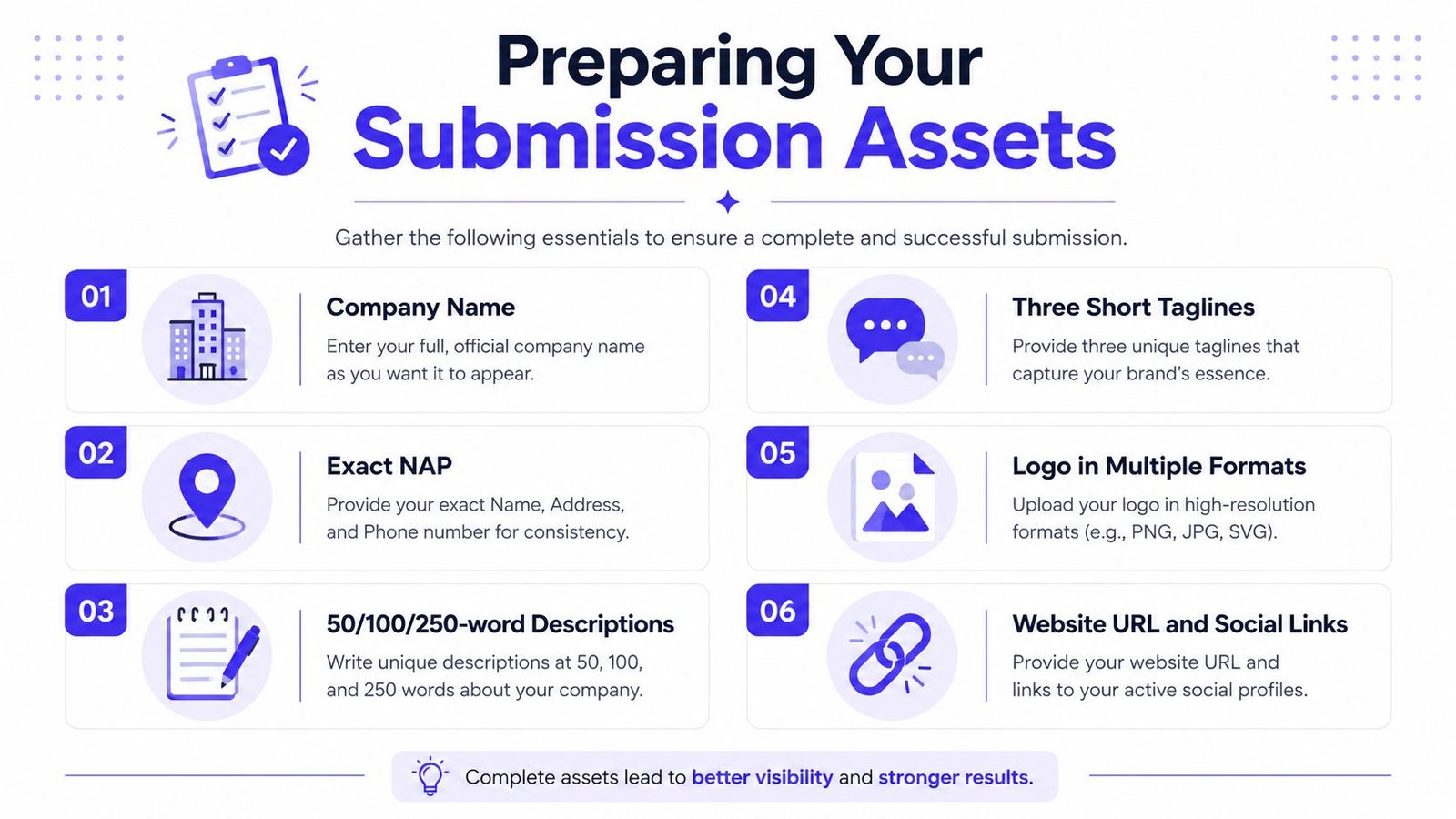
Company identity should include the exact public brand name, legal entity name where required, website URL, and approved social profiles. Decide which name belongs in the listing title before submission day. The company field is rarely the right place for a keyword-stuffed phrase such as “Best AI Project Management Software.”
NAP data means name, address, and phone. A remote SaaS company still needs an approved business address and phone format for platforms that request them. Store punctuation, suite formatting, country code, and capitalization in one controlled reference.
Prepare three descriptions:
- 50 words: Useful for compact profiles and directory cards.
- 100 words: A practical default for most business listings.
- 250 words: Suitable for detailed software profiles and editorial review.
Write three short taglines from different angles. One can describe the problem, another the product category, and another the customer outcome. Use the version that fits each directory's audience instead of forcing one line into every form.
Visuals and proof points
Keep the logo in square and wide formats. Square files commonly fit avatars, favicons, cards, and search previews, while wide files suit profile headers and larger listing layouts. Store approved screenshots in a consistent visual style, and prepare a short demo URL that works without an unnecessary login step.
Your product reference sheet should include:
- Two product screenshots that show the interface clearly.
- A 60-second demo URL with a stable viewing experience.
- Pricing tiers and public rates, or a clear explanation if pricing is custom.
- Supported languages and deployment type where relevant.
- Founder social handles and approved founder photos.
- Target customer profile, including company type, team context, and use case.
- Category taxonomy in three forms: your internal label, the closest directory label, and the parent category path.
Inconsistent founder photos, outdated taglines, or a product name that changes between the logo, website, and form can trigger manual questions. Each unclear field gives an editor another reason to pause the review, so settle those decisions before the queue is active.
Use free startup directories to find candidate platforms, then qualify each one before adding it to the queue. Check whether the directory fits your product category, target audience, and current stage. A discovery list is not a submission plan until every entry has an owner and a reason to pursue it.
Run the checklist twice
Run the asset checklist before research and again immediately before submission. The second pass catches changes from a launch, pricing update, rebrand, or landing-page rewrite.
Use a consistent filename system, such as brand-logo-square, product-screenshot-dashboard, and description-100-words. That small control prevents someone from uploading an outdated logo because it was the first file visible in a downloads folder. It also makes later audits faster when a listing needs an update.
Duplicate Checks, NAP Consistency, and Category Mapping
Duplicate detection, NAP consistency, and category selection belong in one decision layer. Each one affects whether a directory profile looks trustworthy, whether users find the right page, and whether your team can manage the listing later.
Start with a brand search. Search Google for the company name alongside terms such as “directory,” “software,” “reviews,” and “profile.” Then inspect likely platform domains using Moz or Ahrefs site-list checks. Search exact NAP strings in quotation marks to find old references that may not rank for your brand yet.
A practical duplicate workflow
Create a row for every existing profile, including weak or incomplete listings. Record the URL, platform owner, company name shown, category, website link, and whether the page appears live.
The thresholds below are useful operating rules for deciding what to do next. They aren't a replacement for judgment, especially when two profiles serve different audiences.
| Signal | Threshold | Action |
|---|---|---|
| Similar profiles under different domains | Domain authority differs by less than 10 | Investigate whether the domains share an owner and consolidate where appropriate |
| Same listing under two domains owned by one network | Same company data and same owner relationship | Keep the stronger profile and request removal or consolidation of the duplicate |
| Company name variation | Any unexplained abbreviation or keyword addition | Standardize to the approved brand name |
| NAP variation | Any mismatch in punctuation, suite formatting, or phone presentation | Correct the profile before creating another listing |
| Existing profile with wrong category | Product clearly fits a more accurate available category | Request an edit or update the existing profile |
| Unclaimed profile | Brand and website match, but no internal owner is recorded | Claim it, assign an owner, and log the access path |
The directory submission mistake guide recommends aiming for 95% or higher NAP consistency across the top 20 directories, keeping duplicate listings at zero, and keeping exact-match commercial anchors below 10% of the overall backlink mix. Those are useful guardrails because they turn “keep things consistent” into something a team can audit.
Map categories before you fill forms
Most directories give you one primary category and limited secondary choices. Build a short taxonomy document that maps your product to the preferred category, two acceptable alternatives, and the parent path.
For example, an operations SaaS might map internally to “workflow automation,” externally to “Operations Software,” and structurally to “Software > Operations > Workflow Management.” This prevents a founder from selecting “Marketing” just because it appears near the top of a dropdown.
An AI directory submission service can assist with repetitive research and form completion, but your team should still approve the canonical brand, NAP, category, and description before publishing. Automation can move data quickly. It can also multiply a bad data decision.
Choosing the Right Directories for Your Stage
A directory can generate launch attention, buyer validation, procurement visibility, or category discovery. Those jobs are different, so selecting platforms by backlink volume creates busywork rather than a useful submission system. Start with the outcome your product needs now, then record the acceptance criteria, owner, and follow-up date for each candidate.
The table below is a working prioritization tool. Approval friction and listing timelines vary with product category, profile completeness, and each platform's review process. Treat every row as an operational hypothesis to verify, not a promise of approval.
| Directory | Primary Goal | Approval Friction | Time to List | Audience Quality | Best Stage |
|---|---|---|---|---|---|
| Product Hunt | Launch visibility and social proof | Medium, especially around launch preparation | Often tied to launch readiness | Strong for makers, early adopters, and tech audiences | Launch and early traction |
| G2 | B2B software discovery and reviews | High, because profile and review quality matter | Depends on category and profile completeness | Strong for software buyers comparing vendors | Early traction through growth |
| Capterra | Procurement-stage software discovery | Medium to high, with detailed product information | Depends on profile requirements | Useful for teams evaluating software options | B2B and established positioning |
| BetaList | Early exposure to startup-focused adopters | Medium | Often dependent on submission review | Strong for early-stage products and curious adopters | Pre-seed and early launch |
| AlternativeTo | Category discovery and alternative searches | Medium | Depends on product classification and listing completeness | Relevant for comparison-driven visitors | Products entering an established category |
Match the directory to the job
Product Hunt fits a launch that has a clear product explanation and a team ready to respond. G2 and Capterra fit buyers who need reviews, comparisons, pricing information, and procurement context. BetaList suits an early product seeking curious adopters who accept an unfinished experience. AlternativeTo is useful when your positioning depends on a recognized competitor or category alternative.
Review activity should affect priority. A relevant platform may still be a poor use of time if its category has no comparable products, the profile cannot be completed accurately, or your customers do not recognize the site. Check whether comparable listings are current, whether the page remains public after approval, and whether your team can update it later.
Pre-seed teams should usually begin with two well-targeted directories per month, not thirty shallow submissions. That pace leaves room to verify acceptance, correct published data, and track visits or referral leads. It also follows the practical guidance to favor niche relevance over raw authority and treat directory links as one supporting channel. SEOForge's directory backlink guidance recommends keeping directory work to roughly 10–15% of total link-building effort, with the remainder directed toward editorial content, digital PR, and relationship-based links.
Use this startup directory comparison guide to build an initial candidate list, then check each entry against customer intent, category fit, editorial quality, listing durability, and likely indexing or visitor value. For broader discovery, top directory sites for 2026 can expand that pool. Do not convert the pool into an automatic queue. Assign a score, owner, status, submission date, approval result, and next review date.
A complete profile on a relevant directory beats a generic placement that receives no attention.
Field Mapping and How a Real Submission Comes Together
Field mapping turns submission from improvisation into quality control. Before filling a form, create a simple crosswalk between the directory's fields and your canonical asset pack. That crosswalk tells you which copy to use, which values need editing, and which fields deserve a final review.
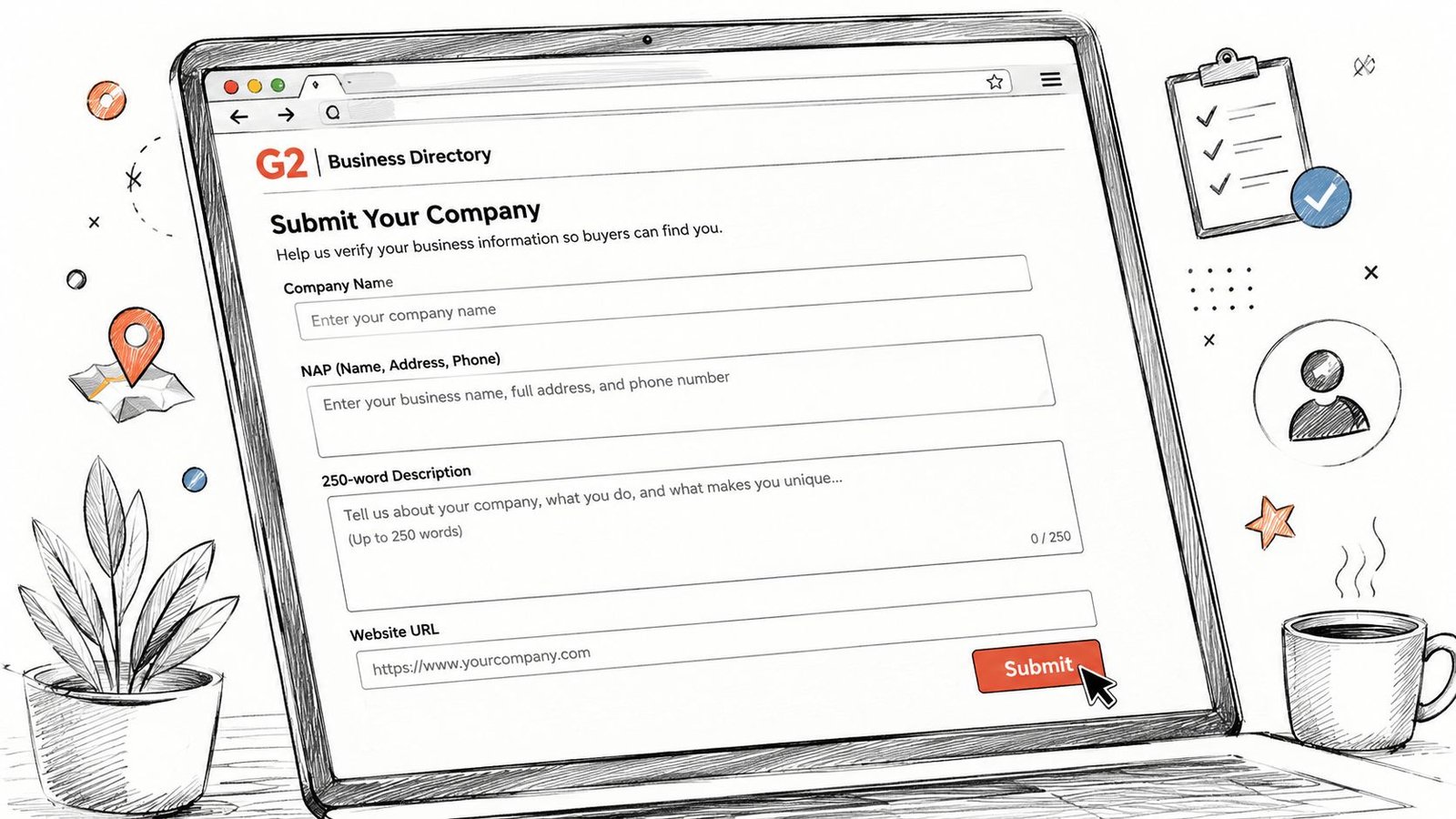
G2 works well as a practical example because software profiles typically require more than a name and URL. The exact interface can change, so verify current field labels and requirements inside the platform before submitting.
A field-by-field mapping
Product name should match the approved public brand. If the product name, company legal entity, and website header use different capitalization or naming conventions, flag the difference before submitting.
Tagline should come from the short tagline set. If the field has a character limit, count the characters before pasting. A tagline that truncates can remove the product category or make the sentence unreadable.
Category taxonomy needs the full parent path, not just the final label. For example, “Software > Operations > Project Management” provides more context than selecting “Project Management” from a large list without checking the parent category.
Pricing tiers should reflect public information where available. If your pricing is custom, write that clearly rather than copying a placeholder from an internal sales deck. Buyers and reviewers need the profile to match the pricing page.
Supported languages and deployment type should come from the product reference sheet. Don't guess based on the team's internal capabilities. State what customers can use today.
Screenshots should come from the approved visual set and meet the platform's current dimensions and aspect-ratio requirements. Wrongly sized images can trigger a rejection or force manual review.
Description fields deserve special care. Some platforms accept limited formatting, while others strip HTML or display it as text. Test the rendered preview when available. Don't assume that bold text, links, or line breaks will survive the submission.
Demo video URL should open directly and remain accessible after publication. Check it in a private browser session before submitting.
Run this checklist immediately before clicking the final button:
- Identity: Product name and company details match the canonical record.
- Tagline: Correct version and within the platform's limit.
- Category: Primary category and parent path are accurate.
- Pricing: Public information matches the current pricing page.
- Visuals: Screenshots use the required dimensions and approved branding.
- Links: Website, demo, and social URLs resolve correctly.
- Review notes: Any unusual field or manual-review trigger is recorded.
A focused SaaS directory submission service can handle field-by-field execution, but the same mapping should exist internally even when someone else submits the forms. It protects the company from inconsistent public data.
Pacing, Follow-Up, and the Reporting You Actually Need
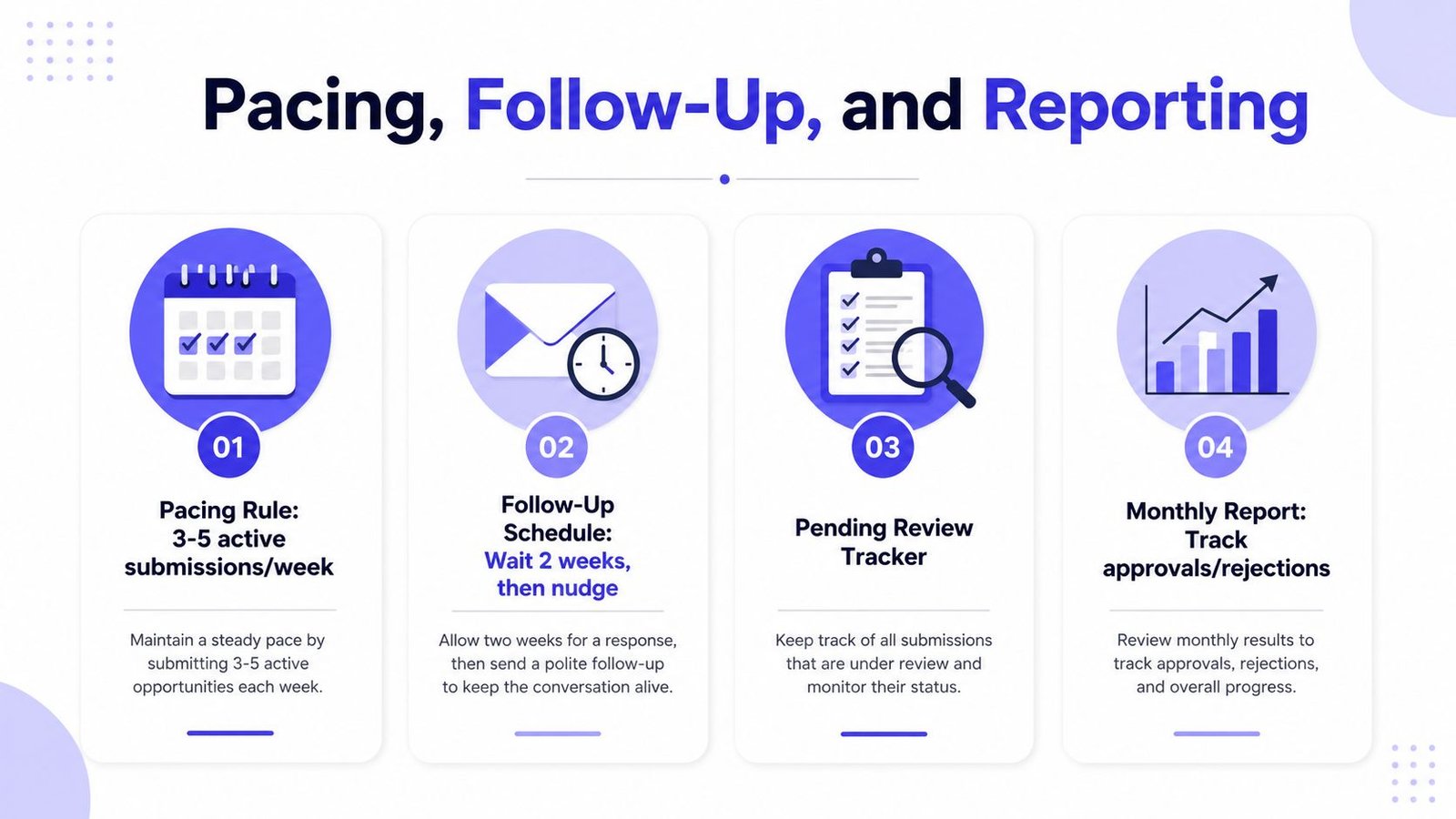
Submission cadence affects quality because every application creates a review obligation. If the founder submits dozens of forms in one sitting, the team often loses track of pending queues, forgets which category was selected, and misses requests for verification or clarification.
A defensible operating rule is to keep three to five active submissions per week per founder. Batch similar directories on the same day to reduce context switching, then reserve Fridays for follow-ups and data cleanup.
Follow up without creating friction
Use the directory's stated review window as the starting point. If no window exists, use a light-touch schedule:
- Short review queues: Follow up around day seven.
- Manual review queues: Follow up around day twenty-one.
- Long-tail directories: Follow up around day forty-five.
A follow-up should include the product name, submission date, category selected, and original submission URL. Keep it easy for the reviewer to locate the application. Don't send repeated messages when the platform clearly states that it doesn't provide individual status updates.
Pacing guidance from a complete directory submission workflow recommends building a first tier of 5–10 high-authority general directories, allocating 70–80% of effort to niche-specific directories, and submitting roughly 5–15 listings per day to reduce review friction and moderation flags. It also recommends brand names, unique descriptions, and prompt email verification. For a solo founder, the lower end of that approach is usually easier to maintain.
Capture evidence, not just activity
Your tracker should record:
- Directory name
- Submission URL
- Date submitted
- Category selected
- Status, pending, approved, rejected, or live
- Live listing URL
- Approval timestamp
- Follow-up dates
- Screenshot of the live profile
- Reviewer notes and requested changes
- Assigned owner
- Referral traffic notes where available
- Branded search impression observations where available
The directory submission guidance on post-approval measurement makes the central point clearly: counting submitted links isn't enough. Track approval status, live URLs, referral traffic, and branded search impressions so you can distinguish a visible asset from a vanity listing that never surfaces.
That dataset also supports SEO, brand, and product teams. SEO can review indexed profiles, marketing can reuse approved descriptions, and customer-facing teams can spot stale pricing or incorrect product claims before prospects do.
Build the System and Your Next Seven Days
Directory submission fails when nobody owns the process. A junior marketer may submit profiles between meetings, a founder may update the website without notifying the person managing listings, and the team may discover months later that half the profiles still show an old tagline.
Assign one owner for the tracker and one reviewer for weekly quality assurance. The owner manages submissions, status changes, follow-ups, and evidence. The reviewer checks canonical data, categories, descriptions, screenshots, and live URLs before the next batch begins.
Define acceptance criteria
An approved listing isn't automatically a successful listing. Your acceptance criteria should require:
- The correct company and product name
- Accurate NAP data where requested
- A relevant primary category
- A unique, readable description
- A working website URL
- Current logo and screenshots
- A recorded live URL
- A saved screenshot of the published profile
- A follow-up task if the profile remains pending
Review approval rates monthly, but don't optimize for acceptance alone. A low-quality directory can approve everything and still provide little search visibility, referral value, or buyer trust. Relevance, indexability, profile quality, and audience intent matter more than a growing submission count.
A usable seven-day sprint
Day one: Lock canonical assets and run duplicate checks. Search the brand, review existing profiles, and record every possible listing in the tracker.
Day two: Score directories against your stage and goal. Separate launch, review, procurement, early-adopter, and comparison platforms. Build a small first tier rather than starting with an enormous list.
Days three to five: Submit five listings per day, using full field mapping and unique descriptions. This is a practical batch size for the sprint, not a universal benchmark. Stop if the data requires correction.
Day six: Log acceptance status, live URLs, rejection reasons, and follow-up dates. Save screenshots for profiles that are already live.
Day seven: Build the reporting view and schedule the next sprint. Review which categories, descriptions, and assets created friction.
Use these exact tracker columns:
Directory | Platform Type | Goal | Submission URL | Date Submitted | Owner | Product Name Used | Category Selected | Description Version | NAP Version | Status | Rejection Reason | Live Listing URL | Approval Timestamp | Follow-Up Date | Screenshot Saved | Reviewer Notes | Referral Traffic Notes | Branded Search Notes
The directory submission sites guide reinforces why this level of governance matters. Duplicate detection, consistent NAP data, accurate categorization, unique descriptions, and updates to old hours or addresses are operational responsibilities, not one-time SEO tasks.
Assign the owner today, create the tracker, and submit only the first carefully reviewed batch this week. After the initial profiles are live, use the evidence to decide which directory types deserve the next sprint.
StartupSubmit offers manual submission across startup and software directories, with duplicate checking, categorization, and a final report containing submitted URLs and placement evidence. If you want help executing a controlled directory workflow without handing your brand data to automated bulk submissions, visit StartupSubmit and review the available service options.