Listed on Yelp in 20 Minutes: U.S. Steps and Directory Hacks
You can get listed on Yelp for free right now by claiming or adding a Yelp Business Page at Biz. Most verifications finish within 24 to 48 hours, though some cases need extra documentation and take longer. There’s no fee to create the listing itself, only optional paid upgrades later.
TL;DR:
- Claiming or adding a Yelp Business Page is free, but complete submissions and within a month of opening can speed up verification, which usually takes 24 to 48 hours.
- Each location requires a separate claim, and verifying ownership involves quick code exchanges via phone, text, or email, with support ready for manual review if needed.
- Fill out your profile comprehensively with accurate contact details, hours, categories, and high-quality photos, as these factors influence search ranking and customer engagement.
- Paid features like Yelp Ads or promotional packages are optional and depend on local competition and business goals, especially for highly saturated markets.
- Regularly log into your Yelp account at least once every 90 days to avoid losing control of your listing, and keep business information consistent across all online directories.
Table of Contents
- How Do You Add a New Business or Claim an Existing Yelp Page?
- How Long Does Yelp Verification Take?
- What Information Should Your Yelp Profile Include?
- Is a Free Yelp Listing Enough, or Do You Need Paid Features?
- What Do You Do About Duplicate Listings or Claim Disputes?
- Why Directory Consistency Matters Beyond Yelp
- Want Your Startup Listed Everywhere That Matters, Not Just Yelp?
- Official Yelp Links Worth Bookmarking
- Sources
How Do You Add a New Business or Claim an Existing Yelp Page?
Getting listed on Yelp starts with one search. Head to biz.yelp.com/claim or open the Yelp for Business app, then type in your business name and address. Yelp already has millions of pages generated from public records and customer activity, so there’s a real chance yours already exists, even if you never touched it.
Here’s the exact sequence to follow:
- Search first. Go to biz.yelp.com/claim and enter your business name and location.
- If a page already exists, click “Claim this business” and follow the prompts that appear.
- If no page exists, click “Add to Yelp for free” and start a fresh listing.
- Create your business account using an email address you actually check regularly, not a shared inbox nobody monitors. Set a password you’ll remember, since you’ll need to log back in.
- Fill out the required fields: business name, address or service area, phone number, hours, and website.
- Submit the form and wait for Yelp’s confirmation screen, which tells you what happens next.
One detail trips people up constantly: if you’re not open yet, don’t wait. You can submit a Yelp Page up to a month before your scheduled opening date, which means your listing can go live the same day you unlock the front door. Waiting until launch week to start this process is a common, avoidable delay.
If you manage multiple locations, repeat this process for each address separately. Yelp treats every physical location as its own page, so a five-location chain needs five separate claims, not one master listing with branches attached.
How Long Does Yelp Verification Take?
Yelp verifies ownership before handing over control of a page, and it usually happens one of three ways: a phone call with an automated code, a text message with a code, or an email link sent to an address tied to the business. Pick whichever method matches contact information you can access immediately, since the code often expires within minutes.
If verification fails, don’t panic. Open a support ticket through Yelp’s help center and be ready to submit documentation. Useful proof includes:
- A business email address matching your website domain
- Recent photos of your storefront or workspace
- A lease agreement or recent utility bill showing the business address
- A business license or recent invoice with your company name on it
Most new Business Pages get approved within 24 hours, according to Yelp. More complicated cases, especially ones needing manual review or additional proof, can stretch to a week or longer.
Pro Tip: Submit every field completely on your first attempt. Incomplete listings get flagged for manual review far more often than thorough ones, which is the single biggest cause of slow approvals.
What Information Should Your Yelp Profile Include?
A bare-bones listing with just a name and address won’t do much for you. Yelp rewards completeness, both in how it ranks pages and in how customers decide whether to call.
Fill out these core fields with precision:
- Business name exactly as it appears on signage and other directories
- Full address or defined service area for mobile and home-based businesses
- Accurate hours, updated for holidays and seasonal changes
- Phone number and working website link
- Primary category and at least one secondary category that matches how customers actually search
Photos matter more than most owners assume. Add shots of your exterior, interior, staff at work, and signature products or services, each with a short caption naming your location or specialty. A coffee shop that captions a latte photo “oat milk cortado, downtown Asheville” gives Yelp’s search algorithm more to work with than a generic “our coffee” caption.
List your specialties and attributes too, things like accepted payment types, wheelchair accessibility, or whether reservations are available. These details match directly against filters Yelp users apply when searching.
Keep your NAP (name, address, phone) identical across your website and every other directory. Inconsistent formatting, like “St.” on Yelp and “Street” on your website, confuses both customers and search engines.
Reviews carry real weight here. A large share of consumers read online reviews regularly before choosing a business, which means an unclaimed or half-finished page is quietly costing you customers who never even call to ask questions.
Is a Free Yelp Listing Enough, or Do You Need Paid Features?
Claiming your page costs nothing, and it unlocks more than most owners expect. Free tools include over 20 features, covering photo uploads, direct messaging with customers, basic performance metrics, and the ability to respond publicly to reviews.
Free benefits worth knowing about:
- Visibility in Yelp’s organic search results for your category and area
- Full control over hours, photos, services, and business description
- The ability to reply to every review, good or bad
- Basic metrics showing how many people viewed or called from your page
Paid options exist on top of that foundation. Yelp Ads buy sponsored placement above competitors in relevant searches, and the Upgrade Package adds promotional tools like a customizable slideshow or removal of competitor ads from your page. Whether either is worth the cost depends on your situation: a restaurant in a saturated downtown corridor competing against a dozen similar spots has a different calculus than a specialty repair shop with little local competition. Seasonal businesses sometimes turn on paid placement only during peak months rather than year round.
What Do You Do About Duplicate Listings or Claim Disputes?
Duplicate pages happen more often than you’d think, especially for businesses that have moved, rebranded, or been listed by a well-meaning customer years ago. If you find two pages for the same location, request a merge through Yelp’s support center rather than trying to claim both separately.
If someone else already claimed your page, whether an old employee, a previous owner, or an outright mistake, go to Yelp’s support center and submit proof of ownership. Expect this kind of dispute to take up to a week to resolve in some cases.
When filing any support ticket, include:
- A business email matching your website domain
- Proof you currently operate the business (license, recent tax filing)
- Timestamped photos of your location
- A recent invoice or lease showing your name and address
One preventable mistake: log into your Yelp for Business account at least once every 90 days. Go quiet longer than that, and Yelp may flag your page as unclaimed again, undoing the work you already put in.
Why Directory Consistency Matters Beyond Yelp
Yelp is one signal among many. Search engines and potential customers cross-reference how consistently your business shows up across the web, and a mismatched address or missing category on even one directory can quietly undercut the trust you’ve built everywhere else.
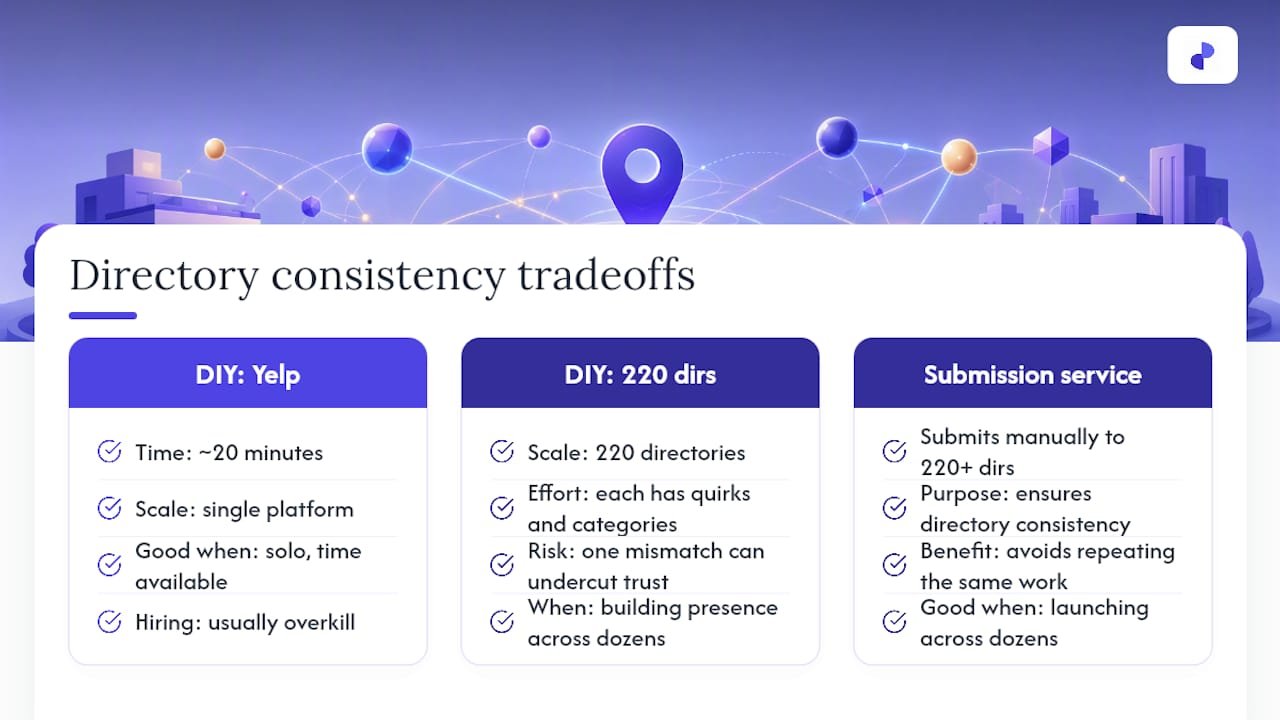
Startupsubmit works with founders on exactly this kind of consistency problem, submitting listings manually to over 220 high-authority directories so a new business doesn’t have to fight the same battle on every single platform separately. Doing Yelp yourself takes maybe twenty minutes once you know the steps above. Doing that across 220 directories, each with its own quirks and category systems, is a different scale of task entirely.
If you’re a solo founder with time to spare, claiming Yelp yourself is straightforward enough that hiring anyone for it would be overkill. But once you’re trying to build presence across dozens of directories at launch, while also running the business itself, that’s when a manual submission service starts to make sense over doing it piecemeal on evenings and weekends.
— Danish
Want Your Startup Listed Everywhere That Matters, Not Just Yelp?
Startupsubmit exists for founders who’d rather spend their week building the product than hunting down 220 different directory submission forms one at a time. Such services typically include manual submissions across many high-authority directories, duplicate checking, category selection aligned with customer search behavior, professional profile writing for listings, and placement reports showing where listings went live.
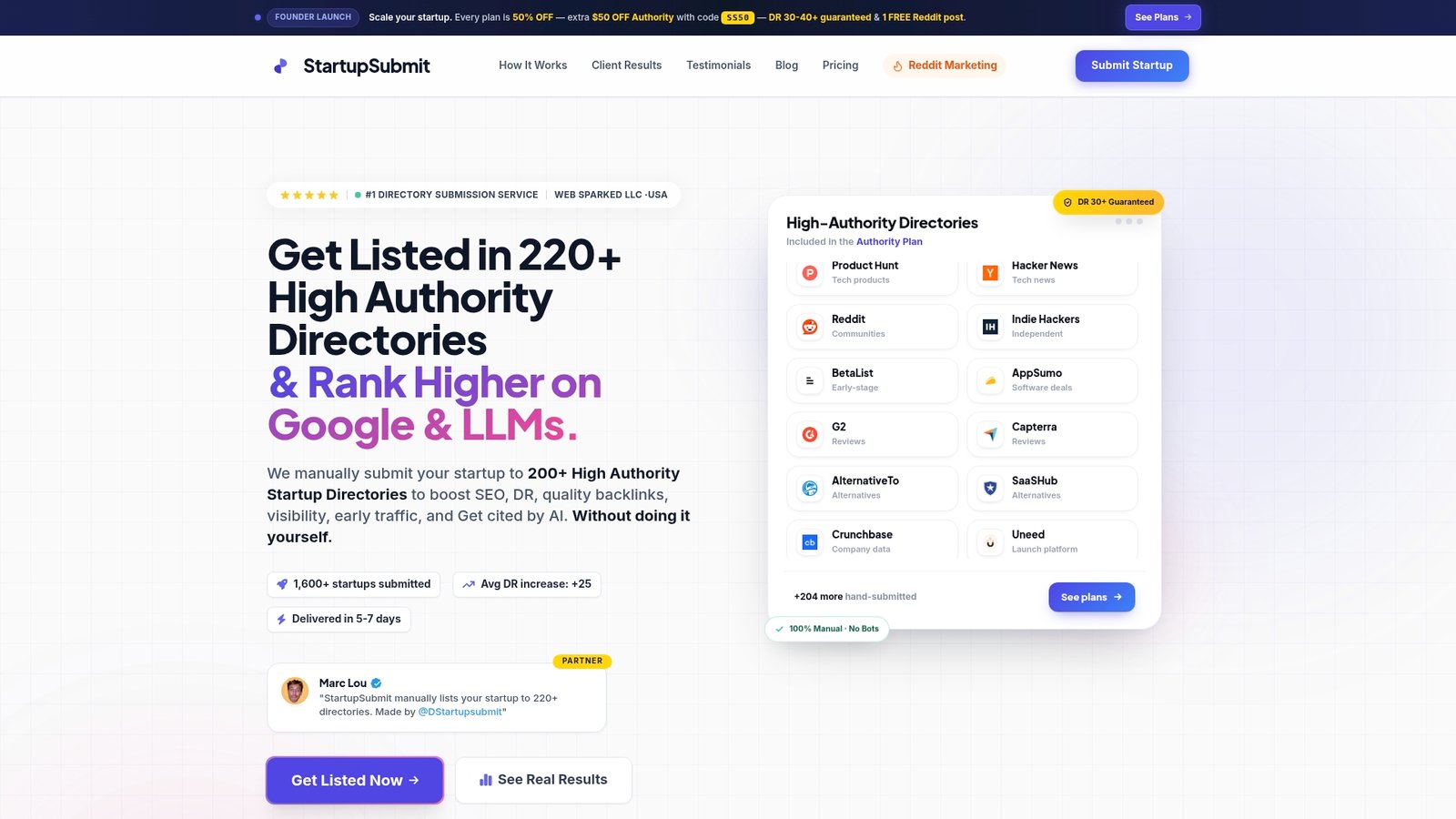
These offerings are aimed at startups, SaaS founders, e-commerce brands, and local businesses that need fast, accurate distribution without spending excessive time learning submission rules for many platforms. Typically, customers receive a timeline and a report of listing placements to track submissions.
Start with the directory submission service page to see exactly what’s included, or head straight to Startupsubmit’s main page to get your business submitted this week.
Official Yelp Links Worth Bookmarking
Start every Yelp task at biz.yelp.com/claim, where you can search for your business, claim an existing page, or add a new one. For verification issues or duplicate merges, Yelp’s support center article on claiming a business page walks through documentation requirements step by step.